Product details
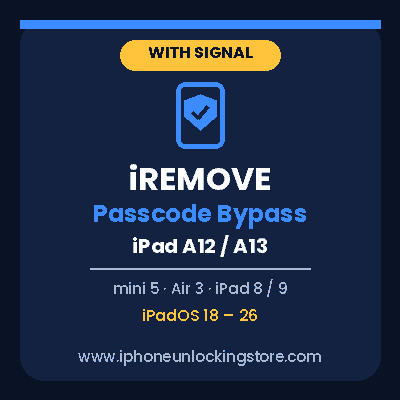
iRemove Passcode Bypass – iPad A12/A13
Bypass the passcode on supported A12/A13 iPads (mini 5, Air 3, iPad 8/9) on iPadOS 18–26 with iRemove Tools and the RP2350 module. Signal retained.
USD 4.32
In stock
Delivery: Instant
Description
OFFICIAL WORLDWIDE DISTRIBUTOR iRemove Passcode Bypass – iPad A12/A13 Bypass the passcode (PIN) lock screen on supported A12/A13 iPad models while retaining cellular signal. Bypass the passcode lock screen on a supported A12 or A13 chip iPad using iRemove Tools together with the USBLiter8 method. This is a hardware-level SecureROM exploit that runs before iPadOS loads, so it requires a dedicated RP2350 module in addition to the iRemove software. It cannot be completed with software alone. DEVICEiPad mini (5th gen), iPad Air (3rd gen), iPad (8th and 9th gen) CHIPA12 / A13 Only SIGNALCellular Signal Retained What This Service Does Bypasses the passcode (PIN) lock screen on supported A12/A13 iPad models Designed to retain cellular signal functionality on supported models Works on iPadOS 18.x.x through 26.x.x, with the device on the passcode-locked screen or already activated with Settings access Separate from an iCloud Activation Lock bypass or an MDM profile removal Requirements Correct IMEI or Serial Number of the device submitted at checkout iPad with an A12 or A13 chip, supported by iRemove Tools RP2350 module (Waveshare RP2350 USB-A recommended), a USB Type-C to Type-C data cable and a USB Type-A to Lightning cable A Windows PC or Mac with the latest iRemove software Physical access to the device How It Works 1Download iRemove Tools and flash the RP2350 module as shown in the official guide 2Place the iPad in DFU Mode and follow the software prompts 3Submit your order with the IMEI or Serial Number entered exactly 4Complete the two-part procedure as guided; the module is flashed in the first part only Official iRemove Tools software — required to connect your device ⬇️Get iRemove Passcode Bypass Tools & RP2350 Guide View the detailed step-by-step guide and requirements on iRemove's official page Important Before Ordering This service needs a separate RP2350 hardware module and cannot be completed with the iRemove software alone. Connect your iPad and confirm compatibility before placing your order. Use this service only on a device you own or are legally authorized to service. Verify the IMEI or Serial Number carefully before submitting. The official procedure also involves restoring the device to the latest iPadOS, so follow the on-screen guidance. Compatibility Notice Supported iPads: iPad mini (5th generation), iPad Air (3rd generation), iPad (8th and 9th generation), on iPadOS 18.x.x to 26.x.x. Support is set by iRemove Tools and can change with software updates. Confirm your device in iRemove Software before ordering. Frequently Asked Questions Will I keep cellular signal? This method is designed to retain cellular signal on supported models. This is the difference from the Hello Screen Bypass, which is Wi-Fi only. Do I need extra hardware? Yes. An RP2350 module (Waveshare RP2350 USB-A recommended) and the correct cables are required. See the official guide linked above for the full equipment list and setup steps. Which iPadOS versions are supported? iPadOS 18.x.x through 26.x.x, according to the official iRemove page. Is this the same as an iCloud bypass? No. This service bypasses the screen passcode, not an iCloud Activation Lock. What do I need to submit? The device's IMEI or Serial Number, entered exactly. www.iphoneunlockingstore.com